CardsNo more waiting for plastic —
No more waiting for plastic —
your new card is ready and it's fantastic!
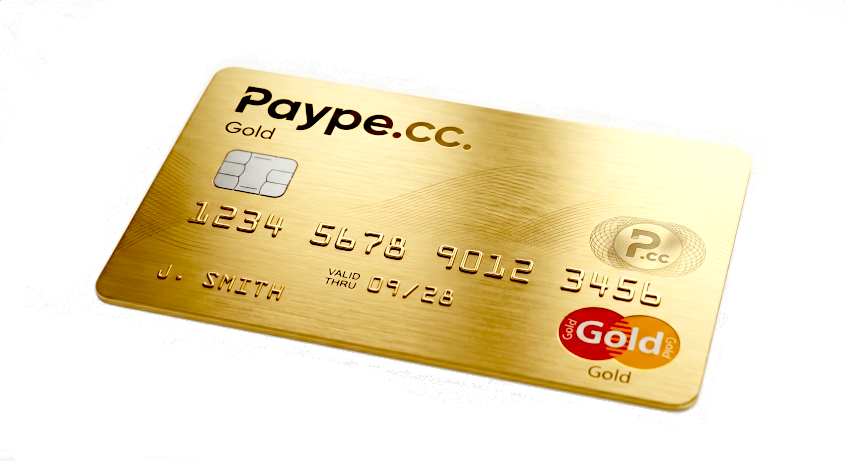
Virtual card linked to your paype balance — spend with Apple Pay or Google Pay anywhere. Issue cards per sub-account. Fund from any source. Instant.
Pay
G Pay
1. Instant virtual card
Your card is ready the moment your account is active. Add to Apple Pay or Google Pay in seconds. No waiting.
| Card type | Fee | Availability |
|---|---|---|
| Virtual card (first per account) | Free | Instant — ready at account open |
| Additional virtual cards | $1 / month each | Per sub-account, per project, per person |
| Physical card | $15 one-time | Ships to verified address |
| Card spend (all types) | No paype fee | Apple Pay, Google Pay, online, in-store |
Instant activation
No temporary numbers. No waiting for plastic. Active the moment you open your account.
No temporary numbers. No waiting for plastic. Active the moment you open your account.
Apple Pay & Google Pay
Add to Wallet in seconds. Pay in-store with Face ID, online with a double-click.
Add to Wallet in seconds. Pay in-store with Face ID, online with a double-click.
Freeze instantly
One tap to lock. Unfreeze when found. No replacement needed. No panic.
One tap to lock. Unfreeze when found. No replacement needed. No panic.
2. Multiple funding sources
Your card pulls from your paype balance. Fund that balance any way you want — bank transfer, crypto deposit, client payment, or another paype user.
| Funding method | Speed to available | Fee |
|---|---|---|
| Bank transfer (SWIFT / SEPA) | 1–3 business days | From 0.09% |
| Crypto deposit | On-chain confirmation | 0.30% (Orchestra) |
| Payment request (client pays you) | Instant (card) / 1–2 days (bank) | 2.1% + $0.18 (card) |
| paype-to-paype | Instant | Free |
| SWIFT inbound | 1–3 business days | 0.09% (Orchestra) |
One balance, many sources
Bank. Crypto. Client payments. P2P. All feed the same balance your card spends from.
Bank. Crypto. Client payments. P2P. All feed the same balance your card spends from.
Auto-top-up
Set a minimum balance. When it dips, auto-pull from your linked bank. Never declined.
Set a minimum balance. When it dips, auto-pull from your linked bank. Never declined.
Real-time spend visibility
Every purchase triggers an instant notification. Amount, merchant, location. No month-end surprises.
Every purchase triggers an instant notification. Amount, merchant, location. No month-end surprises.
No paype fee on spend
We don't charge you to spend your own money. The rate on funding is the only cost.
We don't charge you to spend your own money. The rate on funding is the only cost.
3. Cards tied to sub-accounts
Issue a separate card for each sub-account — per project, per client, per cost center. Each with its own balance, its own limits, its own users.
| Setup | Card fee | Best for |
|---|---|---|
| 1 sub-account, 1 card | Free (first card) | Single project or personal use |
| 3 sub-accounts, 3 cards | $2 / month | Freelancer managing clients separately |
| 10 sub-accounts, 10 cards | $9 / month | Agency with per-client budgets |
| Unlimited sub-accounts | $1 / card / month | Enterprise — scale as you grow |
Per-project isolation
Each sub-account card spends from its own balance. Project A can't touch Project B's funds.
Each sub-account card spends from its own balance. Project A can't touch Project B's funds.
Per-card spending limits
Daily, per-transaction, and merchant-category caps. Set guardrails per card, per person.
Daily, per-transaction, and merchant-category caps. Set guardrails per card, per person.
Per-card user assignment
Issue a card to a team member. They can only spend from that sub-account. Nothing else.
Issue a card to a team member. They can only spend from that sub-account. Nothing else.
Unlimited sub-accounts
Create as many as you need. Free. Instant. Each can have its own card or cards.
Create as many as you need. Free. Instant. Each can have its own card or cards.
4. Card controls
You set the rules. Per card. Per person. Per category. Real-time. No surprises.
Freeze / unfreeze
One tap to lock any card. Unfreeze when found. No replacement needed.
One tap to lock any card. Unfreeze when found. No replacement needed.
Spending limits
Per day, per transaction, per category. You define the guardrails.
Per day, per transaction, per category. You define the guardrails.
Merchant blocking
Block specific merchants or entire categories. No surprises from vendors you don't use.
Block specific merchants or entire categories. No surprises from vendors you don't use.
Location-based rules
Only allow transactions when the cardholder's phone is nearby. Built-in fraud prevention.
Only allow transactions when the cardholder's phone is nearby. Built-in fraud prevention.
Card replacement
Issue a new virtual card instantly if compromised. Old token invalidated immediately.
Issue a new virtual card instantly if compromised. Old token invalidated immediately.
Transaction history
Full searchable log: merchant, amount, category, date. Export to CSV for accounting.
Full searchable log: merchant, amount, category, date. Export to CSV for accounting.
Real-time notifications
Push notification for every purchase. Amount. Merchant. Location. Immediately.
Push notification for every purchase. Amount. Merchant. Location. Immediately.
Apple Pay & Google Pay
Add to iPhone, iPad, Apple Watch, Mac. Tap to pay on Android and Wear OS.
Add to iPhone, iPad, Apple Watch, Mac. Tap to pay on Android and Wear OS.